Task boards for church leadership teams
Everything that has to happen before Sunday in one place.
Assign the task, set the date, and the right person hears about it. Built for the small church that can't afford a big software bill. $3 per leader per month, and volunteers are free.
Tasks, due dates, email and in-app alerts. No texting, no extras.
Already have an account? Sign in
See it
This is the actual app
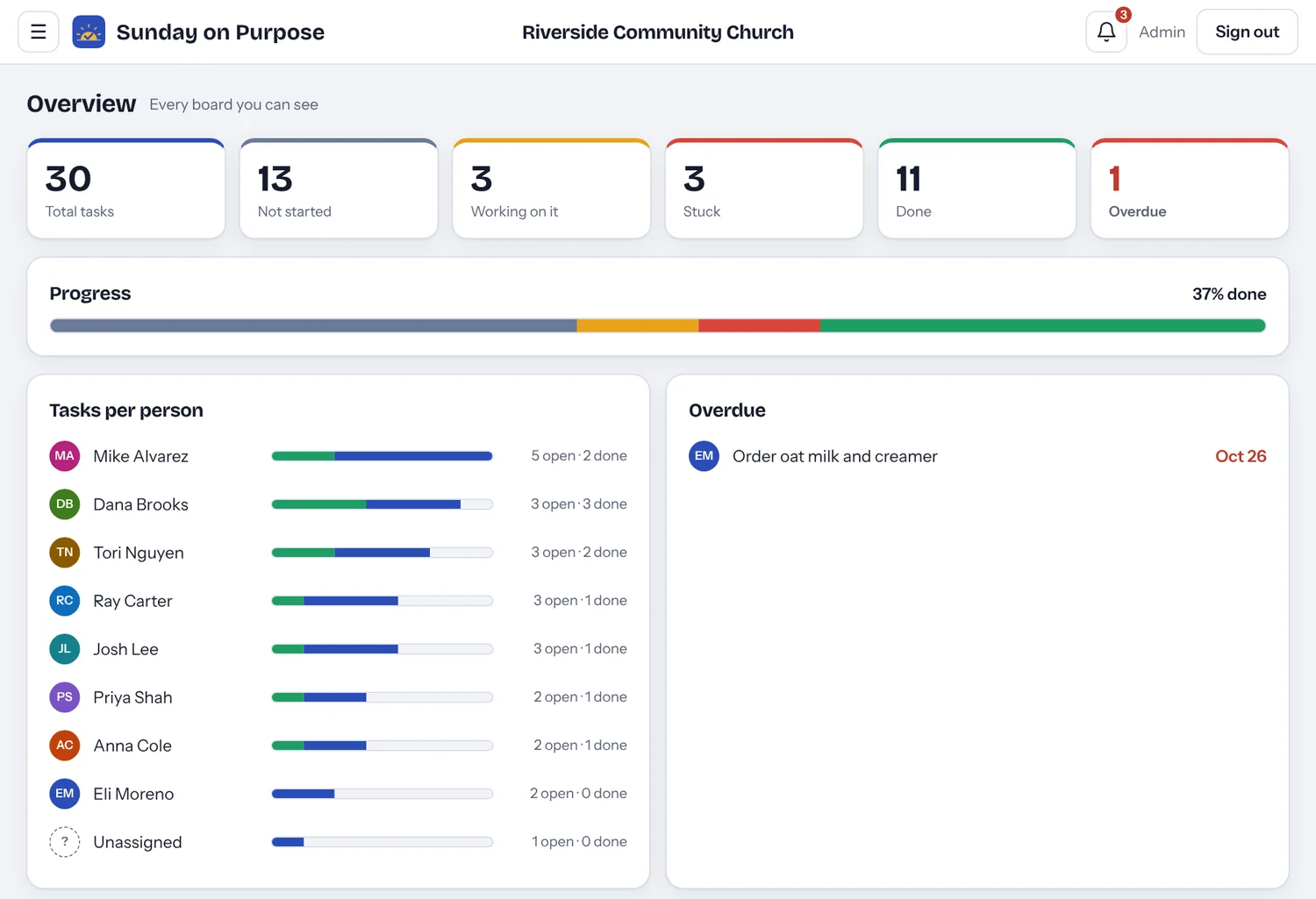
These are real screens from Sunday on Purpose, shown with a sample church.
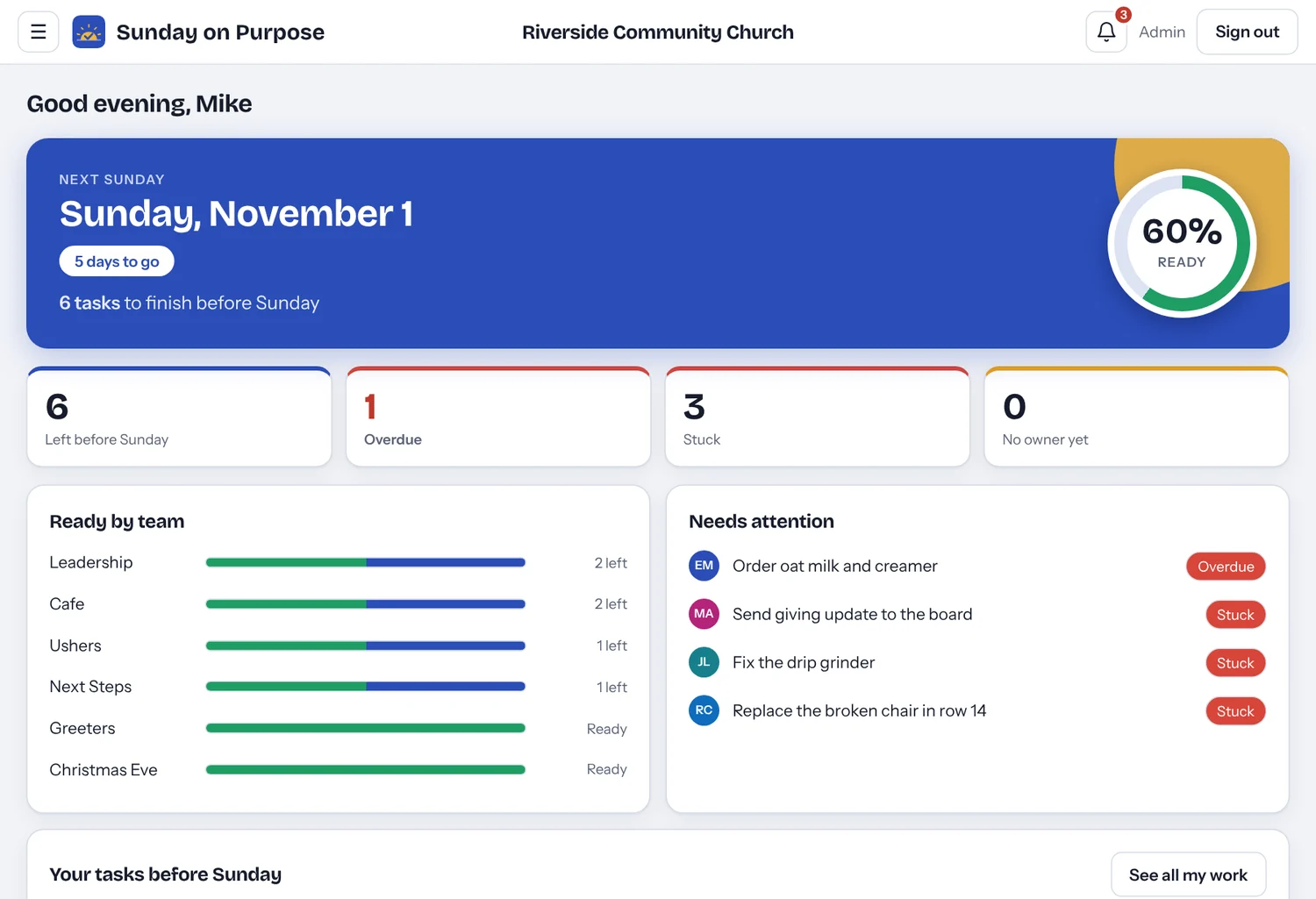
Home. Next Sunday at a glance: how ready you are, what is late or stuck, and which team is behind.
What it does
The things a church team actually needs from a task tool
If you have used a board like monday.com, this will feel familiar. It just leaves out everything a church office does not use.
Know if Sunday is ready
Open the app and see where things stand.
- Percent of tasks ready for next Sunday
- What is overdue, stuck or has no owner
- Ready by team
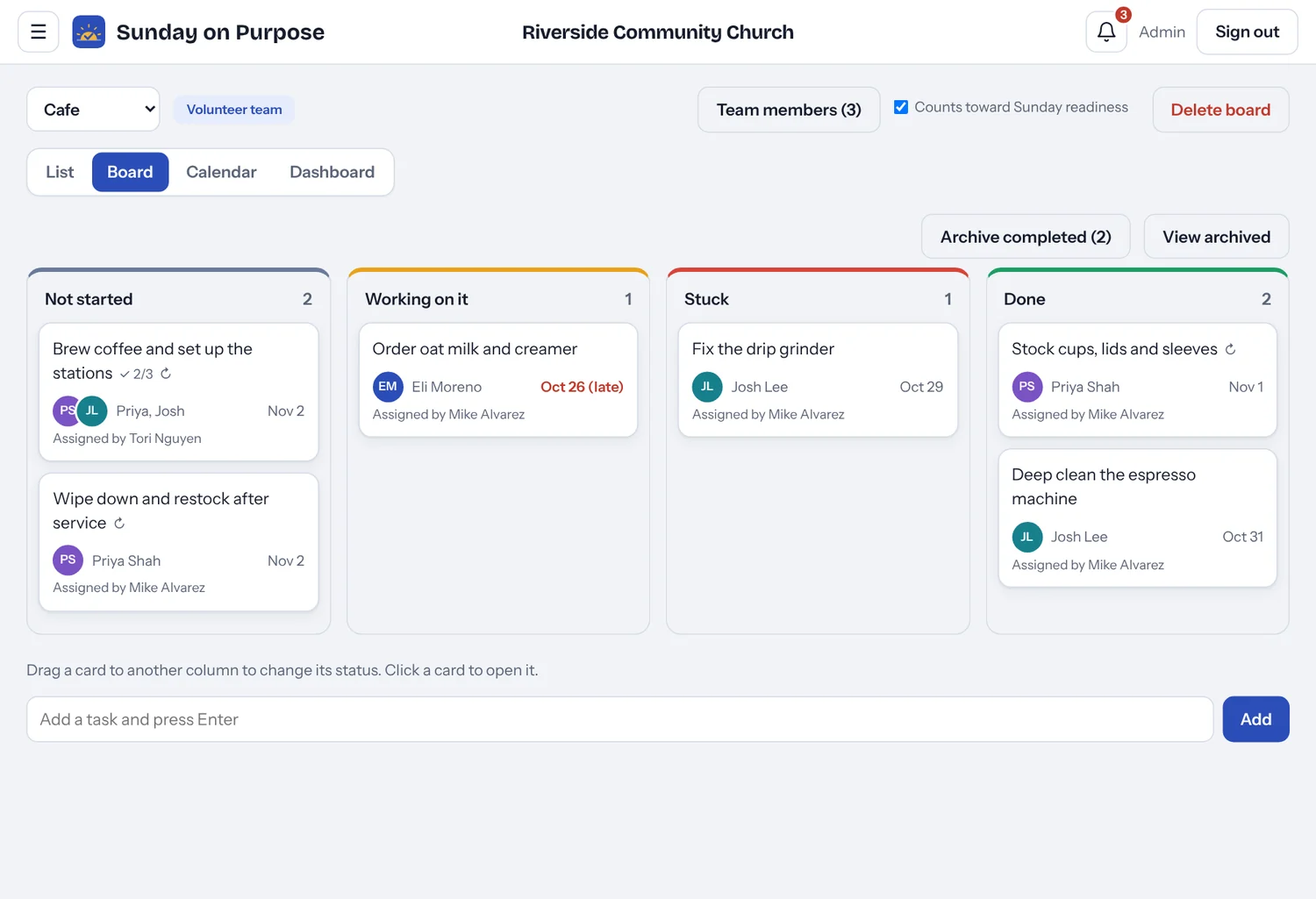
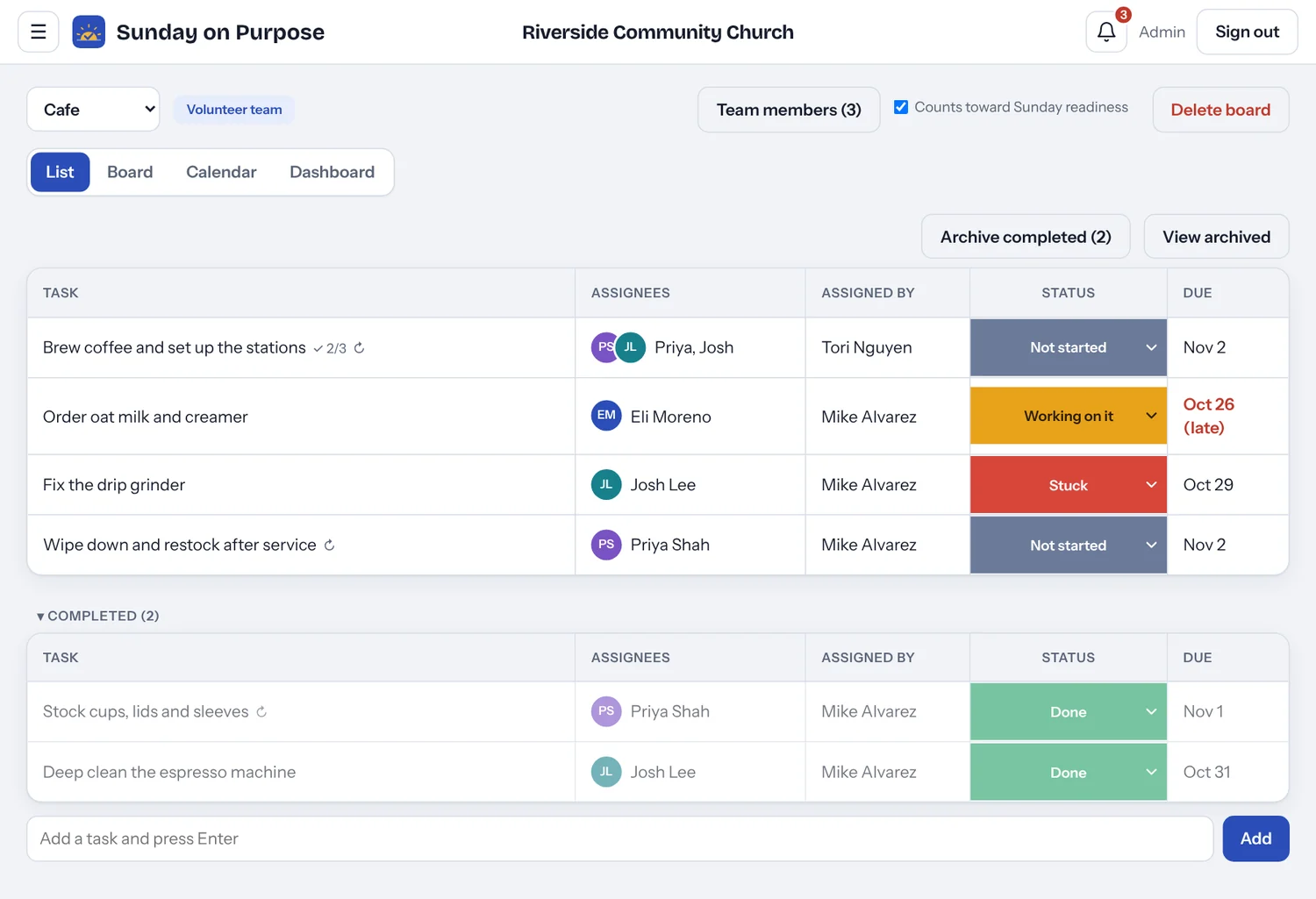
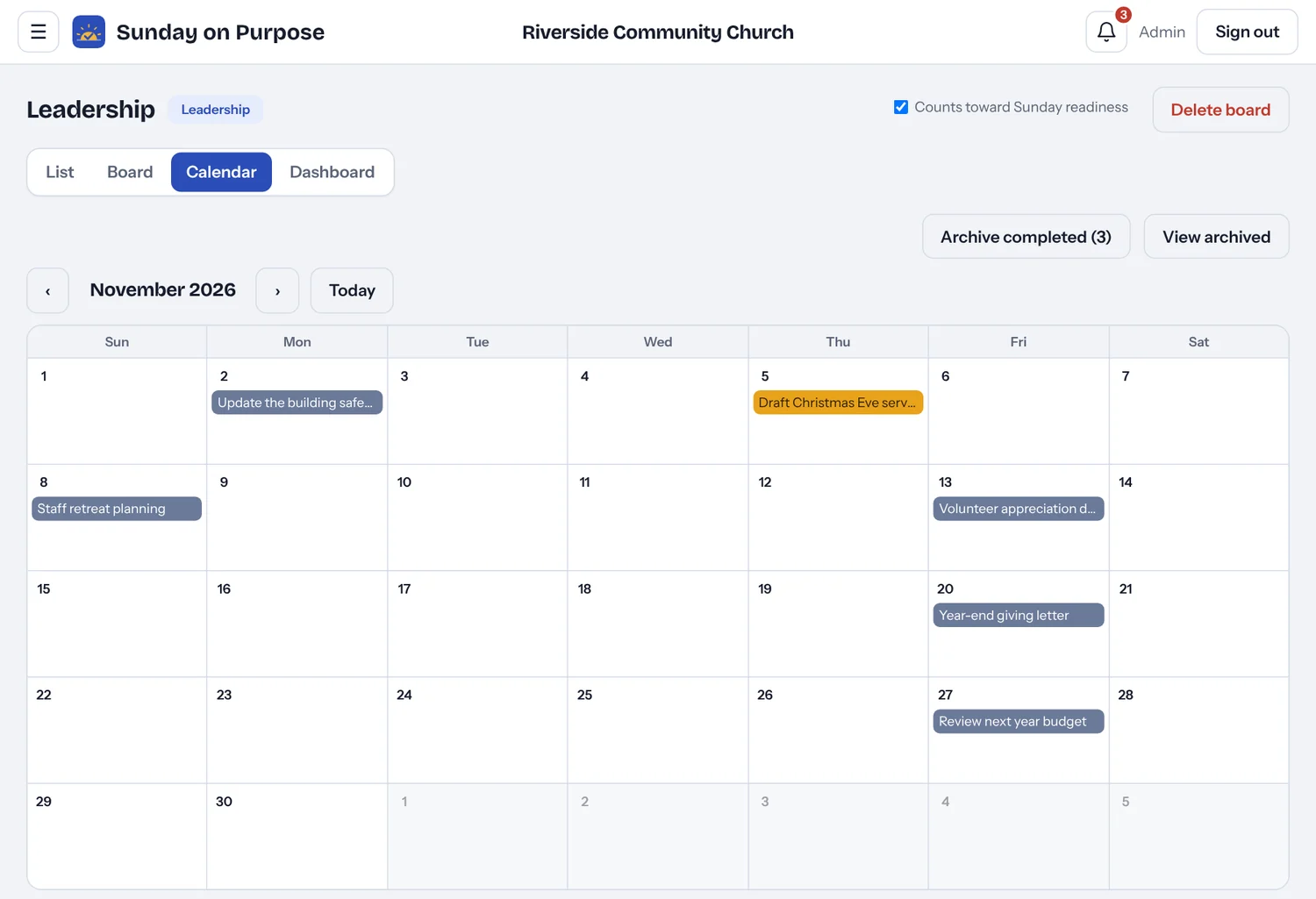
Four ways to see the work
Switch views on any board.
- List, board, calendar and dashboard
- Drag cards between statuses
- Calendar by due date
A board for every team
Keep each group in its own space.
- Leadership, team, shared and private boards
- Ready-made templates for Cafe, Greeters, Ushers and more
- Search for any task by name
Tasks that carry the details
Everything about the job stays on the task.
- Several people per task, and who assigned it
- Due date, checklist and files
- Repeats weekly or monthly
- Updates thread with @mentions
Everyone hears about it
Nobody has to remember to tell anyone.
- Email and in-app alerts that say who assigned the task
- Reminder the day before, weekly summary on Monday
- Due dates sync to your phone calendar
Free for volunteers
Your Saturday crew does not need an account.
- A personal link, no password and no install
- They see only their own tasks
- Set status, check steps, post updates
- Bring your people in from Planning Center, no retyping
Also included: your church logo, profile photos, archive, and light and dark mode.
Roles
Four kinds of people, four levels of access
Each role sees only what it needs. Volunteers never need an account.
| Role | What they can see | What they can do | Cost |
|---|---|---|---|
| Admin | Every board except other people's private boards | Everything, including people, roles, boards, teams and the church logo | 1 seat |
| Staff | Leadership, Sunday service and team boards | Create, assign, edit and delete tasks; start shared boards | 1 seat |
| Team Leaders | Team boards and boards they are added to, but not Leadership boards | Create and assign tasks; can update the status of tasks leadership gives them, but not edit those | 1 seat |
| Volunteer | Only their own tasks, from an emailed link | Set the status, check off steps, post updates and open files | Free |
For volunteers
One link, one tap, no password
Your Saturday setup crew will not download an app or remember a login. They open the link in their email, see what is theirs, set the status, check off steps and leave an update.
- Shows only their own tasks, with notes, checklists and files
- Works on any phone, no install
- Free, and does not use a seat

Pricing
Three dollars a seat. That is the whole price list.
- Admin, Staff and Team Leaders each use one seat
- Unlimited volunteers at no charge
- Email and in-app alerts included, with no text-message fees
Planned launch pricing for pilot churches. It may change before the public launch, and pilot churches will hear first.
A leadership team of 10 with 40 volunteers pays $30 a month.
Questions
Before you ask
Is this only for Sunday mornings?
No. The name comes from the goal, being ready, but boards work for any week of the year. Leadership tasks, event planning and team follow-ups all live in the same place.
Does it work with Planning Center?
Yes. Connect your Planning Center account and Sunday on Purpose brings in your people, for example only the volunteers who have served in the last six months. People already in Sunday on Purpose are skipped, so there are no duplicates, and nobody is emailed by the import. Sunday on Purpose only reads from Planning Center and never changes anything there. It does not replace it either. Keep running people, giving and check-in where you do today, and use Sunday on Purpose for tasks, due dates and notifications.
Why no text messages?
Text messages cost real money per message, and that would force a higher price. Email and the in-app bell keep it at $3 a seat.
Who can see my private board?
Only you. Admins can see shared boards, but a private board is private to the person who made it.
Is it ready to use today?
Yes, in pilot form. Everything on this page works now, and pilot churches use it while we keep improving it with their feedback. Pilot churches also hear first about launch pricing.
Is our information kept private?
Each church's information is kept separate from every other church's, and people only see what their role allows. Please do not put sensitive counseling or medical details in tasks. The Privacy page explains the rest.
Why we started this
About Sunday on Purpose
Sunday on Purpose began with an executive pastor who kept noticing the same thing: tasks get overlooked. Without a system, the difference between a task getting done and a task not getting done can be a single text message. And texts are forgotten all the time.
The tools that solve this well are priced out of reach for a smaller church. So we built one that is not. Sunday on Purpose helps churches of any size keep track of their tasks, at a price that makes sense for a church budget.
The goal is simple: when the work behind Sunday is handled, your team is free to keep reaching people. That is what it means to do Sunday on purpose.
Questions are always welcome at caleb@sundayonpurpose.com.
Want to try it with your leadership team?
We are looking for a handful of small churches to pilot Sunday on Purpose this season. Pick a time and we will walk through it together.
Prefer email? caleb@sundayonpurpose.com